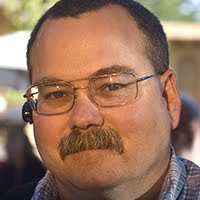
I've been photographing roadside memorials for some time now as part of a future body of work project for the Bay Area Photo Club in Clear Lake. This past weekend three early twenty-something men were killed in a tragic automobile accident on Bayway Drive down the road from the Baytown Nature Center where I do a lot of shooting. I stopped by to take a few photos of the memorial for the young men and as I was shooting the young man in the photo pulled up and parked behind me. He was obviously a distraught relative or friend of at least one of the deceased men. As I prepared to take one more shot before leaving, to give him some privacy, I noticed his reflection in my rear view mirror. I thought the image was particularly poignant so a took a few shots before leaving.


Body Painting on the Island #4
10 years ago